← Builders / Desktop
Daily driver,
native shell.
A native desktop shell wrapping the full web workspace. Native window menus. Operator Panel popout for live workflow approvals. Local file bridge for drag-drop and editor open. The full universal coding harness in every window, plan-first, real file edits, any model. Same UI you know, with the desktop chrome you want.
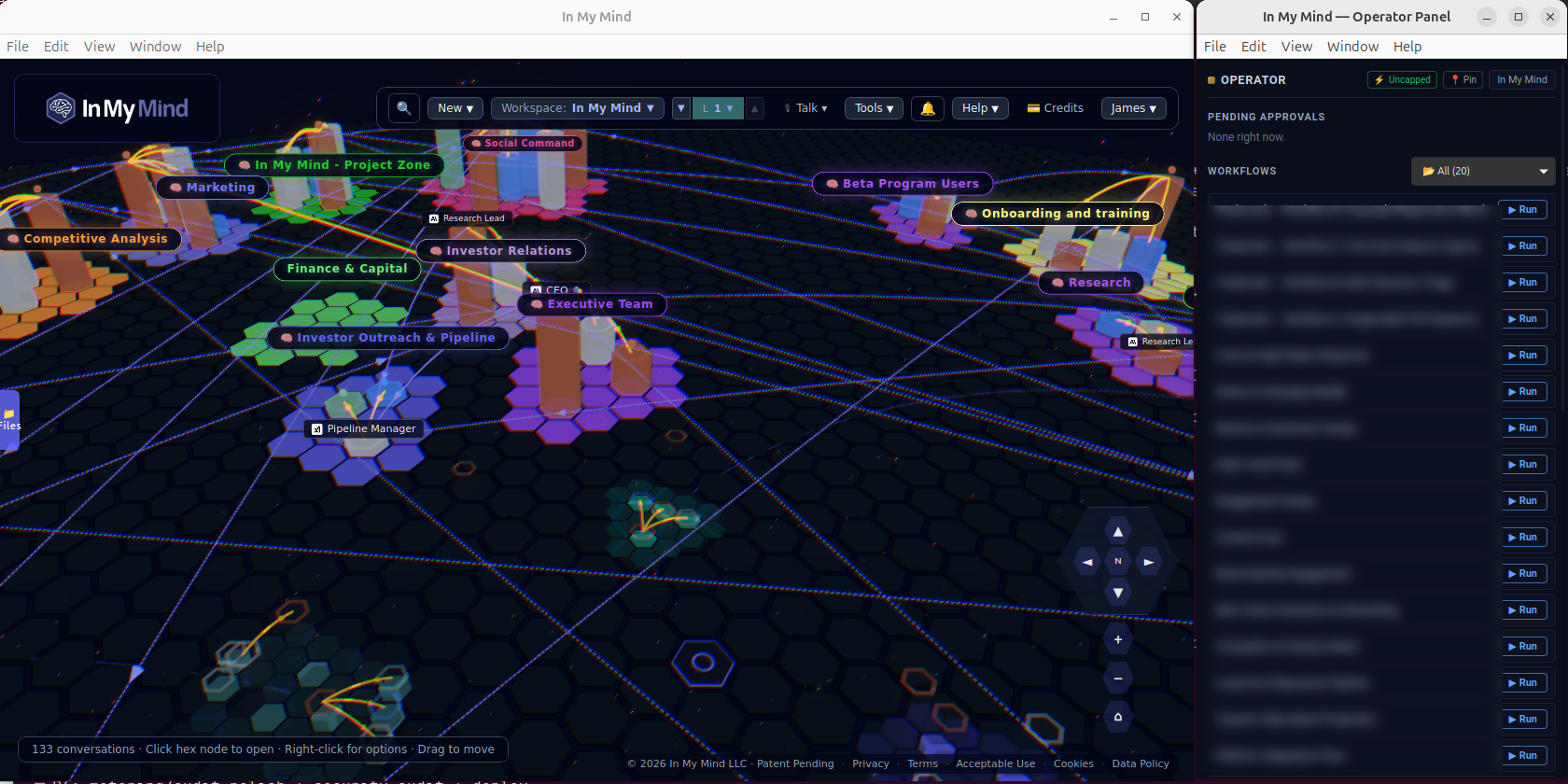
DESKTOP · MAIN APP + OPERATOR PANEL POPOUT · YOUR DAILY DRIVER
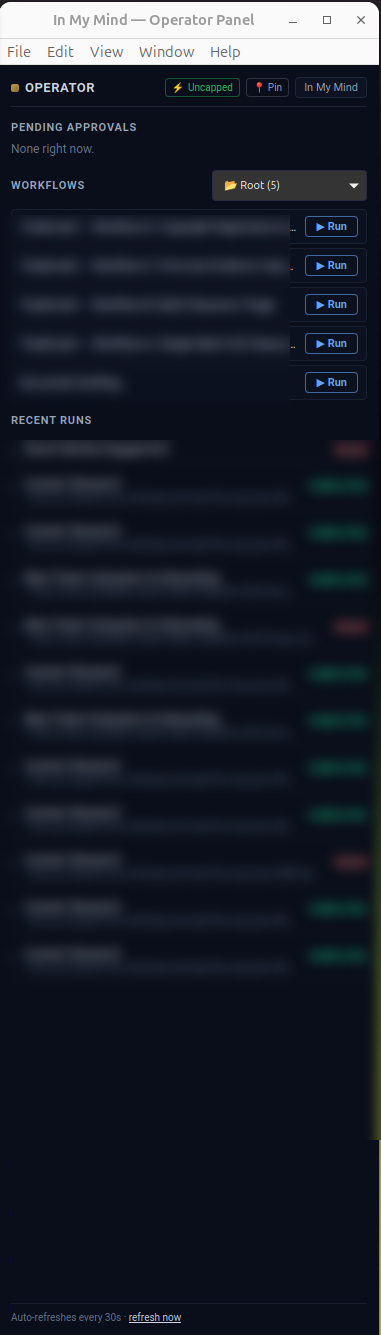
⌘⇧O · OPERATOR PANEL
The popout you'll leave open all day.
Pending approvals at the top. Your active workflows queued, each with a Run button. Recent runs below with their actual outcomes, COMPLETED, FAILED, so you can re-trigger or investigate without opening the full app. Floats above your other windows. One keystroke to summon, one to dismiss.
- →Auto-refreshes every 30 seconds, your queue is always current
- →Approve a paused workflow from the panel itself, no full-app context switch
- →Pin to one screen, work on the other
// what desktop adds
Six things the Desktop does that the web can't.
01 · OPERATOR PANEL
Always-on side popout
⌘⇧O opens a slim sidebar window pinned over your other apps. Shows active workflow runs, pending approvals, badges for unread events. Approve mid-call without leaving Slack.
02 · NATIVE MENUS
macOS / Windows / Linux native
First-class window menus. File · Edit · View · Workspace · Window · Help. Standard shortcuts (⌘N, ⌘W, ⌘Q).
03 · LOCAL FILES
Drag-drop, editor open, clipboard
Trusted-folder bridge: drag-drop from Finder/Explorer, open files in your default editor, paste with native clipboard. Files stay local, only what you upload leaves your machine.
04 · TRAY ICON
Background-aware
macOS + Windows: closing the window keeps the app running, workflows continue, tray icon shows pending counts. Linux: clicking [X] quits cleanly (Linux convention).
05 · SECURE BY DEFAULT
Pinned to In My Mind
Capability allowlist plus CSP pin the webview to our own domain. External clicks open in your default browser. Cannot be repurposed as a generic browser.
06 · NATIVE NOTIFS
OS-level alerts
Council done. Approval needed. Workflow failed. Voice call incoming. Native notifications respect your OS Do-Not-Disturb settings.
Get Desktop · v0.68.2
The Desktop binary.
Sign in once and the desktop inherits your session.
MACOS
Universal · macOS 12+
~78 MB
WINDOWS
x64 · Windows 10+
~82 MB
LINUX
AppImage · .deb
x86_64 · ~76–88 MB
Desktop is a licensed product. Sign in to your workspace, activate a Desktop license, then download your installer from your account.
All builds code-signed.
// also available
Prefer the terminal?
imm
One-shot CLI
For scripts, cron, CI. Pipe-friendly. Same auth as the Desktop. Native binary, no runtime.
View CLI →imm tui
Interactive TUI
Multi-turn chat in your terminal. Live streaming. Tab through council members.
Tour the TUI →Web app
app.inmymind.ai
No install. Full 3D hex map. Best for first-time users and zone design.
Open the app →Where Humans and AI collaborate.