← Builders / TUI
Coding agents went solo.
Your team didn't.
imm tui brings a universal coding harness to your terminal, real file edits, shell access, plan-first autonomy, any model you choose, running inside your team's zones, shared memory, and playbooks. The agent doesn't start from zero. It starts from what your team already knows.
CONVERSATION PICKER · EVERY ZONE, EVERY CONVERSATION
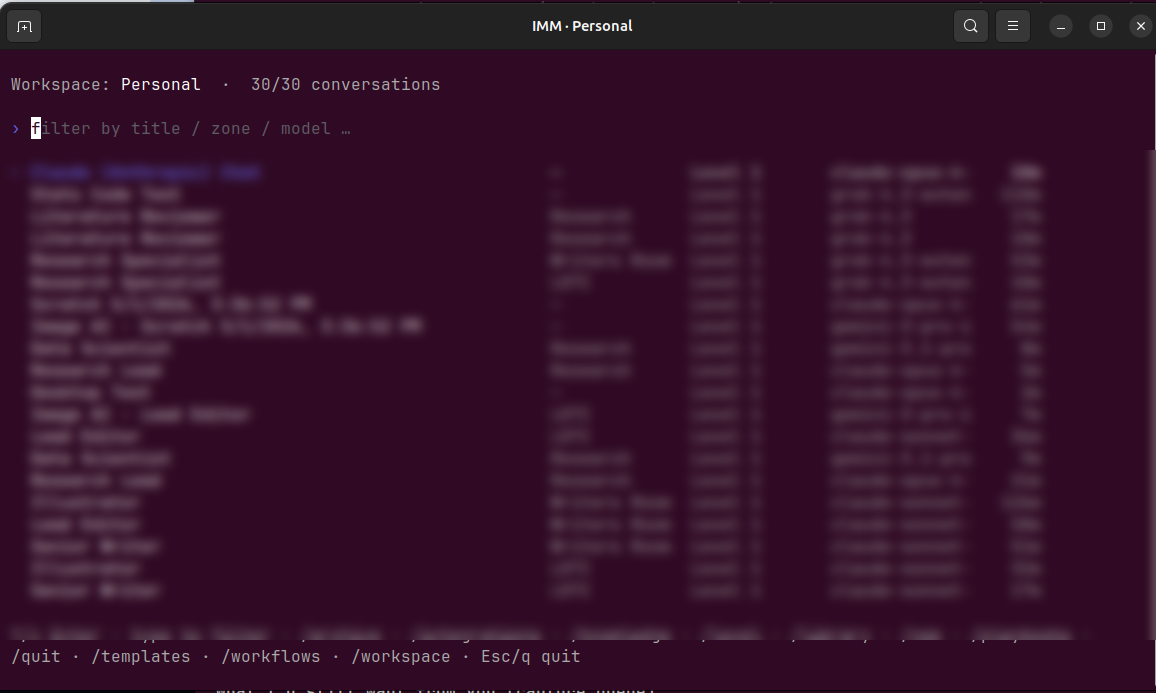
Filter by title, zone, or model. Every conversation in the workspace on one screen, solo chats and full team runs side by side.
SOLO · SINGLE MODEL
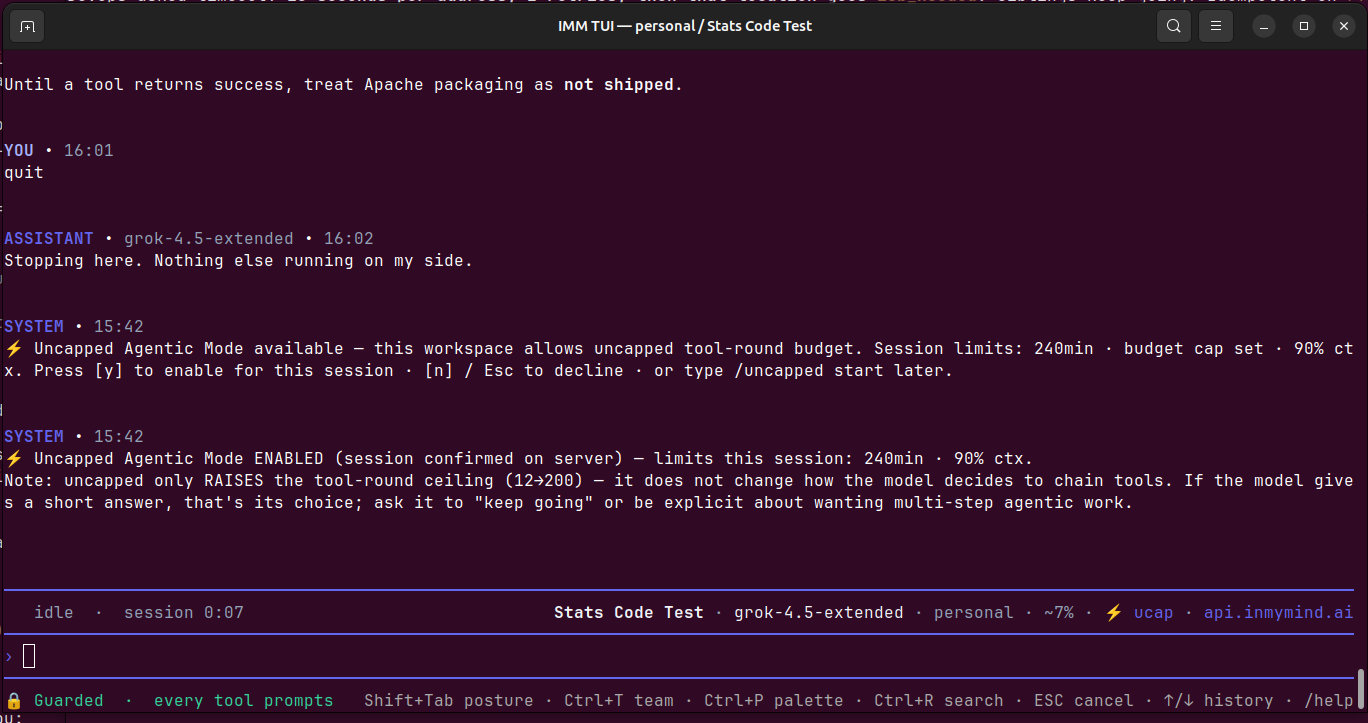
One model, one job. Guarded posture on. Agentic mode is opt-in per session, never assumed.
TEAM · LEAD + 4 MEMBERS
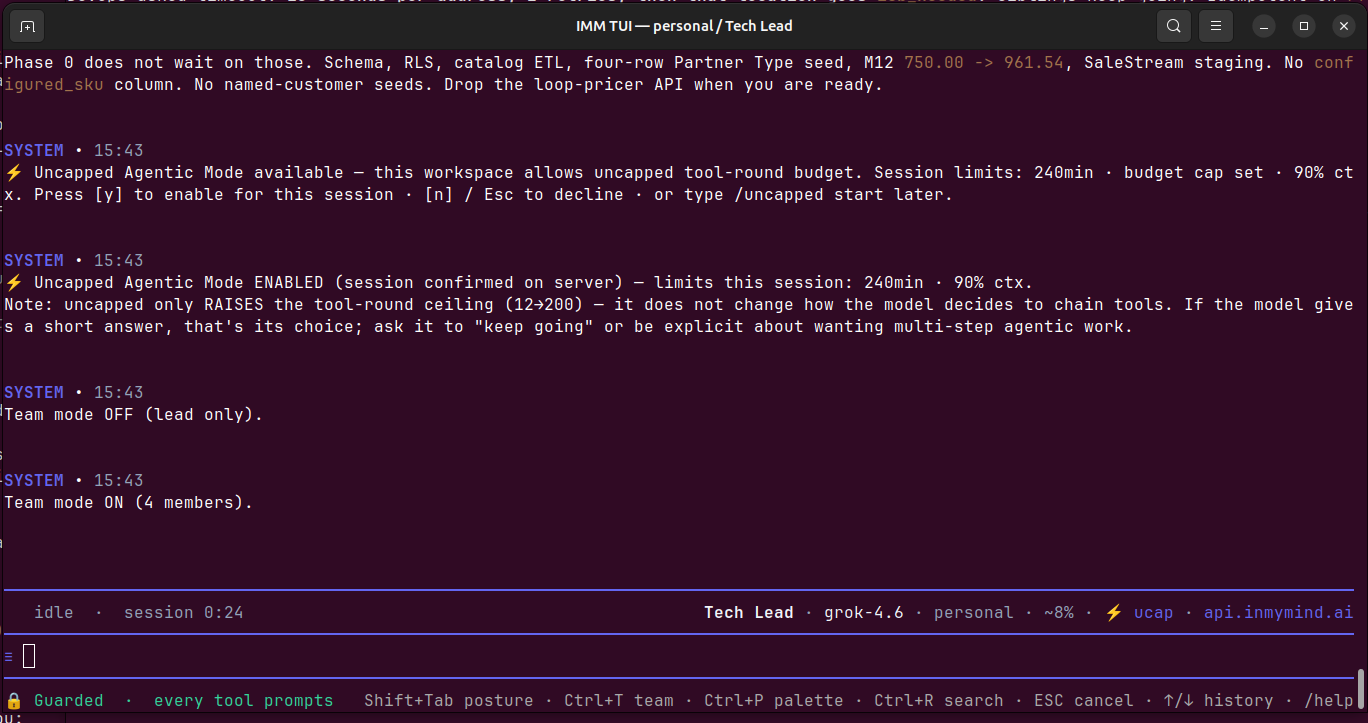
Same status bar. Same shortcuts. Flip on the team and the Lead delegates in-thread to the members you picked.
// why it's different
Your workspace's beliefs, brought to the terminal.
Five reasons a team coding environment beats a solo agent. Every one shipped.
MEMORY
Shared memory, not a fresh session
Architecture decisions, conventions, and prior work live in zone and workspace memory the whole team shares. The agent starts knowing what your team already figured out.
STANDARDS
Standards, encoded once
Review checklists, conventions, playbooks, and standing orders the agent follows every time. Consistency without policing.
SHARED PLANS
Plans and runs in shared zones
Plan-first by default. The agent proposes before it touches anything, and the plan and the run live in a shared zone your team can see, not a private terminal.
COUNCILS
Councils for the hard calls
Code-review and architecture councils put several models on a decision. A built-in second opinion, not one model's best guess.
GOVERNANCE
Governed by design
Per-zone permissions, approval postures, an always-on OS-level sandbox, and an audit trail. Autonomy a team can actually allow.
THE MOAT
Knowledge compounds. Context never dies.
Every session deepens the workspace. What one developer's agent learns, the team's workspace keeps, so tomorrow's run is smarter than today's.
// the how
One harness. Any model. Every surface.
The capability underneath. The same coding-agent loop no matter the model or the surface.
- → Reads, edits, runs, and plans. Real file tools plus shell on real projects.
- → Plan-first. Investigate and propose before touching anything.
- → Approval on a dial. Read-only planning up to full trust, one keystroke.
- → Always-on OS sandbox. Write-jailed to your working directory.
- → You see it think. Live reasoning, a running to-do list, labeled diffs.
- → Native binary in the terminal (imm tui), native desktop app, same workspace as the web.
MODEL POSTURE
Choose your model. Switch any time.
Start with the best frontier models. Add specialists as your work demands. Bring your own. Switch mid-conversation, the workspace, memory, and plan carry over.
Frontier models · Specialized models · Your models · One workspace
// the contrast
vs. the solo coding agent.
THE SOLO CODING AGENT
- A single session with no memory of your team.
- Your standards, re-explained every time.
- One model, one answer, no cross-check.
- A private terminal, nobody else sees the work.
IN MY MIND
- Shared memory that compounds across the whole team.
- Playbooks and standards the agent follows automatically.
- Councils, plus any model you choose, switchable any time.
- Shared zones, governed, audited, seen by the team.
// one workspace, every surface
Type in the terminal. Pick it up in the browser.
The TUI is a typed terminal surface. The web app is typed in the browser. The Desktop is typed in a native window. They share the same zone memory, same library, same tools, same access controls. Switch surfaces mid-conversation and the team picks up where you left it.
Voice agents run in the browser and on the phone (WebRTC), not in the terminal, but they hit the same workspace. A voice call's transcript lands in the same zone you can later open in the TUI to follow up.
// also available
Looking for something else?
imm
One-shot CLI
For scripts, cron, CI. Pipe-friendly. Same auth as the TUI. Native binary, no runtime.
View CLI →In My Mind Desktop
Native Desktop
Native window menus + Operator Panel popout. macOS · Windows · Linux. For daily driving.
Download Desktop →Web app
app.inmymind.ai
The full 3D hex map experience. Zone editing, workflow design, voice. Sign in to start.
Open the app →Where Humans and AI collaborate.